.svg)
Shopify Email Marketing: The Complete 2026 Playbook
.avif)
Email marketing returns $36 to $42 for every dollar spent, and ecommerce specifically sees even better numbers at $45 per dollar. If you're running a Shopify store and not using email properly, you're leaving serious money on the table.

The problem? Most Shopify merchants either cobble together a basic setup with Shopify Email and hope for the best, or they get lost comparing the dozen-plus email marketing apps available in the app store.
Neither approach works well.
This playbook walks you through exactly what works in 2026. You'll understand when Shopify's native email solution makes sense, which third-party apps actually justify their price tags, and how to build automated flows that drive revenue while you sleep. By the end, you'll know which tools to use, how to set them up properly, and what results you should expect.
What Makes Shopify Email Marketing Different
Shopify email marketing isn't just "email marketing that happens to be for Shopify stores." It's a specific discipline with unique advantages and constraints.
The core difference is data integration.
Every email platform can send messages and track opens. But Shopify-integrated email tools pull product catalogues, purchase history, browsing behaviour, and cart data automatically. This means you can send an abandoned cart email with the exact products someone left behind, complete with live pricing and inventory status, without manually configuring a thing.
That level of personalisation matters. Sephora achieved a six-fold increase in purchases among customers engaging with personalised recommendations. When your email platform knows what someone browsed, what they bought, and what they might want next, you're not guessing anymore.

The second differentiator is automation tied to ecommerce behaviour.
Generic email platforms offer time-based automation. Shopify-focused tools trigger on shopping actions. Someone abandons a cart, browses a specific collection, or becomes a repeat customer. Each action can kick off a targeted email sequence automatically. Abandoned cart emails achieve 41.18% open rates and create a revenue impact of $5.81 per recipient.

Think about that revenue per email number for a moment. If you're sending 1,000 abandoned cart emails monthly at $5.81 each, that's nearly $6,000 in recovered revenue. Most other email types don't come close to that per-message value.
The third element is multi-channel messaging coordination.
Modern Shopify email marketing isn't email-only. The best setups combine email with SMS, push notifications, and in-browser messages. Someone abandons a cart, gets an email an hour later, then an SMS the next day if they still haven't purchased. This orchestrated approach works because each channel reinforces the others without feeling spammy.
Shopify's Native Email Solution: Shopify Messaging
Shopify offers two native tools worth understanding: Shopify Email and the broader Shopify Messaging platform.
Shopify Email is the email-specific app. It provides up to 10,000 email sends per month at no cost, then charges based on volume after that. For most small stores, that free tier covers monthly newsletters and basic automation.
The interface is straightforward. Drag-and-drop builder, pre-built templates for abandoned carts and product promotions, automatic product pulls from your catalogue. You select products, they populate with live images and pricing, and the email builds itself. No HTML knowledge required.
What Shopify Email Does Well
First, it's already there. No app installation, no separate login, no data sync delays. Everything lives inside your Shopify admin.
Second, it's genuinely free for lower volumes. A store sending 8,000 emails monthly pays nothing. That removes friction for testing different campaigns and learning what works.
Third, the product integration is seamless. When you want to promote a specific collection or feature bestsellers, the system pulls those products automatically. The email updates if pricing changes. Inventory sells out? The product drops from the email before it goes out.
Fourth, basic automation works well. Abandoned cart emails, welcome series for new subscribers, and post-purchase follow-ups can all be set up in minutes. For a store doing £50,000 to £200,000 annually, that's often sufficient.
Where Shopify Email Falls Short
Segmentation options are limited. You can segment by purchase history and basic customer properties, but advanced behavioural segmentation requires workarounds or third-party tools.
Reporting is basic. You get open rates, click rates, and revenue attribution, but detailed engagement analysis, cohort tracking, and predictive analytics aren't included.
Multi-channel coordination isn't native. Shopify Email handles email. SMS lives in a separate tool. Push notifications require different apps. Coordinating a unified customer journey across channels means stitching together multiple platforms.
Template customisation has limits. The drag-and-drop builder works for standard layouts, but custom HTML editing is restricted. If you want a sophisticated email design system with reusable components and strict brand guidelines, you'll hit walls quickly.
For stores under £200,000 annual revenue, these limitations rarely matter. Once you're doing serious volume or have complex customer journeys, you'll outgrow it.
When Third-Party Email Apps Make Sense
The shift from Shopify Email to a dedicated email marketing app usually happens at one of three trigger points.
First trigger: segmentation complexity.
When you need to target customers who browsed Category A, added to cart but didn't purchase, and haven't opened an email in 30 days, Shopify Email's native segmentation struggles. Platforms like Klaviyo handle multi-layer behavioural segments without breaking a sweat.
Second trigger: automation sophistication.
Basic flows work in Shopify Email. Multi-step nurture sequences with conditional branching, time delays based on customer behaviour, and dynamic content that changes based on dozens of data points require more powerful tools. When your welcome series needs to adapt based on whether someone came from Instagram, Google, or a referral link, and adjust messaging based on their browsing behaviour in the first 48 hours, you've outgrown native tools.
Third trigger: multi-channel coordination.
If your strategy requires SMS, email, and push notifications working together as one coordinated lifecycle programme, you need a platform built for that. Omnisend and Klaviyo handle multi-channel orchestration natively.
Revenue is another clear signal. Once you're doing £500,000+ annually, the percentage gain from sophisticated email marketing justifies the monthly platform cost. If a more powerful tool increases email revenue by just 15%, that's £10,000+ additional profit on a £500,000 store. The platform might cost £200-£400 monthly, but the ROI is obvious.
The Five Email Marketing Apps That Actually Matter for Shopify
The Shopify app store lists dozens of email marketing apps. Most are irrelevant.
Five platforms dominate serious ecommerce: Klaviyo, Omnisend, Mailchimp, Drip, and Privy. Each serves different store profiles and strategies.
Klaviyo: The Ecommerce Standard
Klaviyo is the default choice for serious Shopify stores. It's built specifically for ecommerce, with deep Shopify integration and powerful segmentation.

The platform excels at predictive analytics. It identifies customers likely to churn, predicts lifetime value, and recommends next-best products based on purchase patterns. The segmentation engine lets you build incredibly specific audience groups using dozens of behavioural and demographic filters.
Automation is where Klaviyo shines. Multi-step flows with conditional splits, dynamic content blocks that change based on customer data, and sophisticated testing capabilities come standard. Welcome emails achieve 68.6% average open rates, and Klaviyo's flows consistently hit or exceed those benchmarks.
The learning curve is steep. Expect 2-4 weeks to get comfortable with the platform if you're new to email marketing. Once you're up to speed, the capability is unmatched.
Pricing scales with contact count. Under 1,000 contacts, it's free. After that, expect £20-£30 monthly for small lists, ramping to £150-£400 for stores with 10,000-25,000 contacts. For high-volume stores, costs can exceed £1,000 monthly.
Omnisend: Multi-Channel for Mid-Sized Stores
Omnisend focuses on stores wanting email, SMS, and push notifications in one platform. The interface is more approachable than Klaviyo, making it popular with stores doing £200,000-£1,000,000 annually.
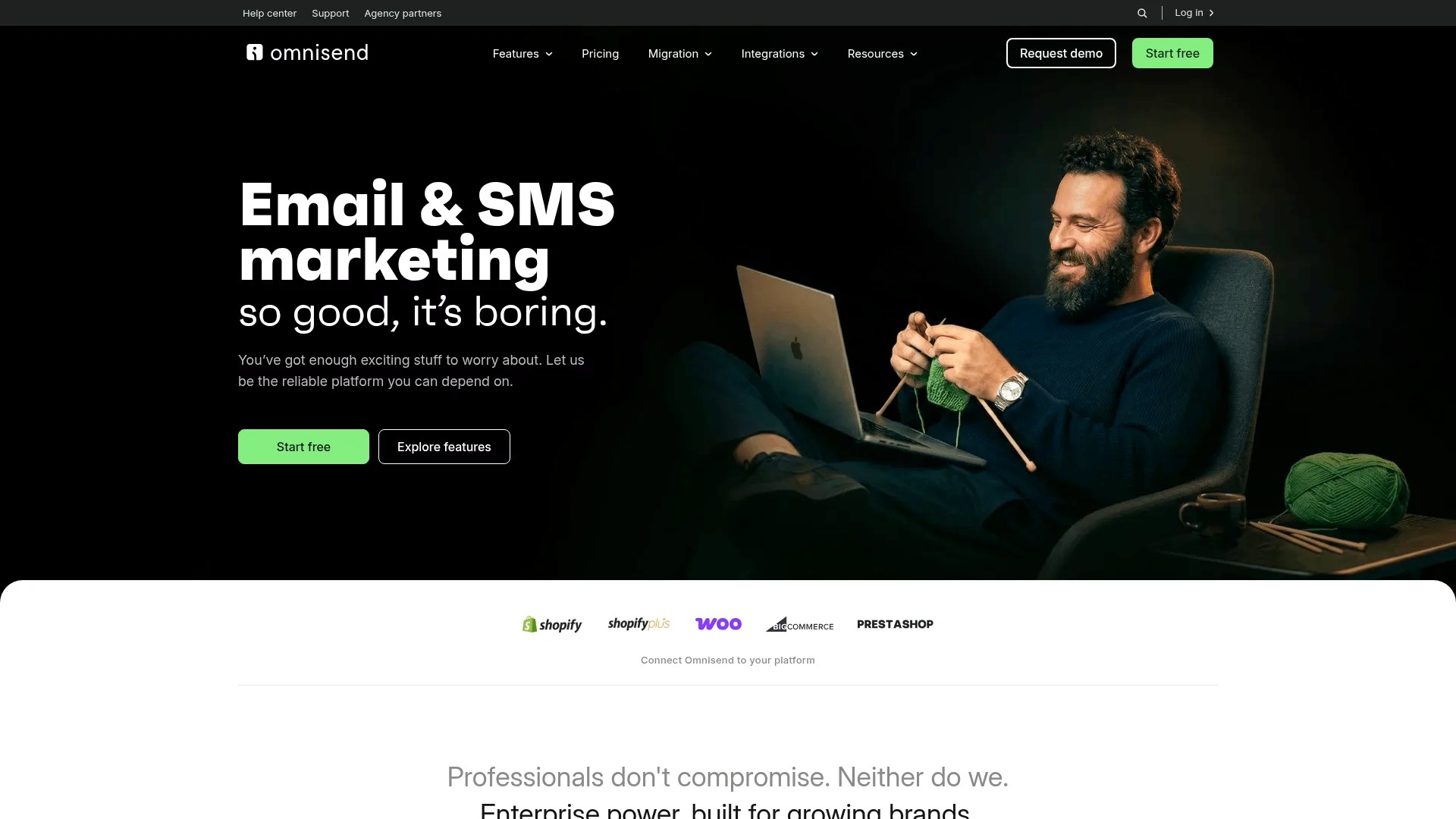
The SMS integration is native, not bolted on. You build workflows that mix email and SMS messages based on customer behaviour. Someone abandons a cart, gets an email 1 hour later, then an SMS 24 hours after that if they haven't converted. All from one workflow builder.
Pre-built automation templates save time. Omnisend includes ready-to-use flows for abandoned carts, welcome series, post-purchase sequences, and win-back campaigns. Customise the copy and timing, and you're live in 30 minutes.
The free plan covers 500 contacts and 15,000 emails monthly. Paid plans start at £14 monthly for 500 contacts, scaling to £150+ for larger lists. SMS messages cost extra, typically £0.02-£0.04 per message depending on volume.
Omnisend works well for stores that want solid multi-channel capabilities without Klaviyo's complexity or price tag.
Mailchimp: The Budget-Friendly Option
Mailchimp started as a general email platform and added ecommerce features later. It's functional but not purpose-built for Shopify stores.

The advantage is pricing. Free up to 500 contacts and 1,000 emails monthly. Paid plans start at £10 monthly for 500 contacts, significantly cheaper than Klaviyo or Omnisend at similar contact counts.
The Shopify integration works but isn't as deep. Product recommendations are basic, and some ecommerce-specific features require workarounds. Abandoned cart emails work, but setting them up takes more steps than with Klaviyo or Omnisend.
For stores under £100,000 annual revenue where budget is tight, Mailchimp makes sense. Once you're generating serious revenue, the platform limitations become frustrating.
Drip: Automation for Advanced Users
Drip targets stores with complex customer journeys and sophisticated marketing teams. The automation builder is powerful but assumes you know what you're doing.

Conditional logic, webhook triggers, and custom events allow granular control over customer journeys. You can build automations that rival enterprise marketing platforms, all within an app designed for ecommerce.
The downside is complexity. Drip isn't beginner-friendly. If you're just learning email marketing, start elsewhere. If you have an experienced team and need advanced capabilities, Drip delivers.
Pricing starts at $39 monthly for 2,500 contacts, climbing to $99 for 5,000 and $154 for 10,000 contacts. It's positioned between Omnisend and Klaviyo in cost.
Privy: Focused on List Growth
Privy specialises in capturing email addresses through popups, embedded forms, and exit-intent triggers. It includes basic email sending, but list growth is the core strength.

The platform excels at conversion-focused popups. Spin-to-win wheels, timed popups, exit-intent offers, and embedded signup forms with targeting rules based on page visits, cart value, and traffic source.
Email capabilities are functional but basic. Welcome emails, abandoned cart sequences, and newsletters work fine. Advanced segmentation and multi-step automation are limited compared to Klaviyo or Omnisend.
Use Privy when list growth is your primary focus and you're willing to use a separate platform for sophisticated email automation. Many stores run Privy for list capture and Klaviyo for email marketing.
Pricing starts free for basic features, with paid plans from $15-$45 monthly depending on contact count and feature access.
Email Automation Workflows That Drive Revenue
Automated email flows generate revenue while you're not actively working. Set them up once, let them run continuously.
Six workflows matter most for Shopify stores: welcome series, abandoned cart, browse abandonment, post-purchase, win-back, and VIP customer nurture.
Welcome Series: First Impressions That Convert
Someone subscribes to your list. What happens next determines whether they become a customer or ignore your emails forever.
A strong welcome series sends 3-5 emails over 7-14 days. Each email has a clear purpose.
Email 1 arrives immediately. It confirms the subscription, delivers any promised discount or lead magnet, and sets expectations for future emails. This email achieves the highest open rates of any email type, often 60-70%. Use it wisely.

Email 2 comes 2-3 days later. It introduces your brand story, explains what makes your products different, and showcases your bestsellers. Social proof works well here. Customer testimonials, UGC photos, and trust signals build credibility.
Email 3 arrives 5-7 days after signup. It addresses common objections and provides educational content. Sizing guides, product comparison tools, or "how to choose" content remove barriers to purchase.
Email 4 (optional) at day 10-12 creates urgency. Limited-time offers, reminder about expiring discount codes, or exclusive early access to new products push subscribers toward purchase.
Email 5 (optional) at day 14 acts as a final nudge. Highlight customer success stories, showcase your return policy and guarantees, or offer a last-chance incentive for first purchase.
Most conversions happen in emails 1-3. The later emails catch stragglers but shouldn't be overly aggressive.
Abandoned Cart Recovery: Recapturing Lost Sales
Someone adds products to cart but doesn't complete purchase. Abandoned cart emails achieve 41.18% open rates and drive significant revenue recovery.
A solid abandoned cart sequence includes 3 emails sent over 24-72 hours.
Email 1 goes out 1 hour after abandonment. It's a gentle reminder showing the products left behind, with a clear "Complete Your Purchase" button. No discount yet. Many customers simply got distracted and just need the reminder.
Email 2 arrives 24 hours later if they haven't purchased. This email adds social proof, highlights product benefits, and may introduce a small incentive (5-10% discount or free shipping) if appropriate for your margin structure.
Email 3 at 48-72 hours is your final attempt. Stronger urgency, clear incentive, and emphasis on scarcity (limited stock, discount expiring) push customers to convert or move on.
Avoid sending abandoned cart emails to everyone. Exclude recent purchasers, people who abandoned carts under a certain value (no point recovering a £5 cart), and customers who've already received multiple cart recovery emails recently.
Browse Abandonment: Catching Interest Before Cart
Browse abandonment emails target people who viewed products but never added them to cart. The conversion rate is lower than cart abandonment, but the volume is higher.
These emails work best as a single message sent 6-12 hours after browsing. Show the products they viewed, suggest similar items, and include a soft CTA to continue shopping.
The tone should be helpful, not pushy. "Still thinking about these products?" or "We saved these for you" work better than aggressive sales language.
Browse abandonment particularly effective for higher-priced items where customers research extensively before buying. Furniture, electronics, and luxury goods see strong performance from browse abandonment flows.
Post-Purchase Sequences: Building Repeat Buyers
The post-purchase window determines whether someone becomes a one-time buyer or a repeat customer.
A post-purchase sequence includes 3-5 emails over 30-60 days.
Email 1 confirms the order and sets delivery expectations. It's transactional but should feel on-brand. Include tracking information, estimated delivery date, and customer service contact details.
Email 2 arrives after delivery (timing depends on shipping speed). It asks for feedback, encourages product reviews, and ensures satisfaction. This is where you catch and resolve problems before they become negative reviews.
Email 3 comes 14-21 days post-purchase. It educates on product usage, shares tips for getting maximum value, and suggests complementary products. Someone bought running shoes? Email about proper break-in techniques and recommend running socks.
Email 4 at 30-45 days starts the repurchase conversation. For consumable products, remind them they might be running low. For durable goods, suggest complementary items or introduce new products they might like based on their purchase.
Email 5 at 60 days (optional) focuses on expanding the relationship. Invite them to join your loyalty programme, refer friends, follow on social media, or explore different product categories.
Win-Back Campaigns: Reactivating Dormant Customers
Customers who haven't engaged in 60-90 days (adjust based on your purchase cycle) enter win-back flows.
These campaigns acknowledge the silence directly. "We miss you" or "It's been a while" messaging works better than pretending nothing happened.
A win-back series typically includes 2-3 emails over 2-3 weeks.
Email 1 reconnects with a soft approach. Remind them what they loved about your brand, showcase new products or features, and make it easy to re-engage with a simple CTA.
Email 2 offers an incentive. A discount, free shipping, or bonus gift encourages them to make another purchase. The incentive should be meaningful but not desperate. Don't train customers to ignore you until you offer 30% off.
Email 3 is the last attempt. Create urgency around the offer expiring, or simply acknowledge that you'll be reducing email frequency if they're not interested. Give them a clear unsubscribe option with honest language ("No hard feelings, we'll take you off this list").
Win-back campaigns work best when they feel genuine rather than robotic. A more personal tone and honest acknowledgment that they haven't engaged recently performs better than generic promotional emails.
Advanced Segmentation Strategies for Shopify Stores
Sending the same email to everyone on your list is wasteful. Segmentation allows precise targeting based on customer behaviour and characteristics.
The most effective segments combine multiple data points rather than using single criteria.
Behavioural Segmentation: What They've Done
Purchase history is the foundation. Segment by products purchased, purchase frequency, average order value, and time since last purchase. Someone who buys monthly behaves differently from someone who buys once per year.
Browsing behaviour reveals intent. Track which categories someone views, which products they've looked at multiple times, and which pages they visit most. Someone repeatedly viewing your highest-priced items is different from someone browsing your sale section.
Email engagement matters. Separate highly engaged subscribers (open and click regularly) from disengaged ones (haven't opened in 90+ days). Send different content to each group. Your most engaged subscribers can handle higher email frequency and more promotional content.
Cart and checkout behaviour shows purchase readiness. Someone who's added to cart multiple times but never purchased needs different messaging from someone who's never added anything to cart.
Value-Based Segmentation: How Much They Spend
Customer lifetime value (CLV) is one of the most predictive segmentation variables.
Identify your VIP customers (top 10-20% by revenue). Give them exclusive access to new products, special discounts, and personalised service. These customers generate disproportionate revenue and deserve special treatment.
Mid-tier customers (next 30-40%) have growth potential. Focus on increasing purchase frequency and average order value through product recommendations and strategic bundling.
Low-value customers (bottom 40-50%) receive standard campaigns. Don't ignore them, but don't invest disproportionate effort either.
One-time buyers deserve special attention. Convert them to repeat customers through targeted post-purchase sequences and strategic remarketing of complementary products.
Predictive Segmentation: What They're Likely to Do
Advanced platforms like Klaviyo offer predictive segments based on machine learning.
Churn risk identifies customers likely to stop purchasing. Target them with win-back offers before they fully disengage.
Purchase probability scores customers by likelihood to buy soon. Focus promotions on high-probability buyers who just need a nudge.
Lifetime value predictions estimate future customer value. Invest more in acquiring and retaining customers with high predicted LTV.
These predictive segments become more accurate as your data volume grows. Stores with 5,000+ customers and 12+ months of purchase data see the most benefit.
Email Design Best Practices for Shopify Stores
Email design directly impacts engagement and conversion rates. Mobile-first design is non-negotiable, given that most opens happen on mobile devices.
Template Structure That Converts
Single-column layouts work best for mobile. Multi-column designs break awkwardly on small screens and hurt readability.
Your header should be simple. Logo, maybe a tagline, and navigation links to key product categories. Don't clutter it with social icons, excessive text, or multiple CTAs.
The hero section (top of email body) needs to grab attention immediately. Strong visual, clear headline, and obvious CTA. Someone should understand what this email is about in 2 seconds.
Product sections benefit from clear hierarchy. Large product images, visible pricing, short descriptive text, and distinct CTA buttons. Don't make people hunt for the buy button.
Footer should include essentials: unsubscribe link (legally required), physical address (CAN-SPAM compliance), customer service contact, and social links. Keep it clean and scannable.
Images and Visual Hierarchy
Product images must be high-quality but optimised for fast loading. Compress images to 100-200KB without visible quality loss. Large image files slow load times and frustrate mobile users.
Use alt text for every image. Some email clients block images by default, so alt text ensures your message makes sense even with images disabled. Alt text also improves accessibility for visually impaired subscribers.
Create clear visual hierarchy through size, colour, and spacing. The most important elements should be largest and most prominent. Secondary content should visually recede.
White space is your friend. Cramming too much content into an email overwhelms readers. Give elements room to breathe.
Copy and Messaging
Subject lines should be specific and benefit-focused. "30% off running shoes this weekend" beats "Weekend Sale." Tell people exactly what's inside and why they should care.
AI-generated subject lines achieve 26% higher open rates compared to human-written lines in some tests, but only when properly prompted with brand context and audience insights. Don't just let AI write generic subject lines.

Preheader text (the preview text after the subject line) extends your subject line. Use it to add context or create curiosity. Many email clients show 80-100 characters of preheader text, so make it count.
Body copy should be scannable. Short paragraphs, bullet points for features, and clear CTAs that tell people exactly what to do next. Assume people will skim, not read every word.
Personalisation should feel natural. First name in the greeting is standard, but dynamic product recommendations, location-based content, and purchase-history-driven messaging create deeper personalisation without feeling creepy.
Dark Mode Optimisation
Many email clients now support dark mode. Your emails should look good in both light and dark modes.
Avoid pure black (#000000) and pure white (#FFFFFF) backgrounds. Use slightly off-colours (#1a1a1a for dark, #f5f5f5 for light) for better contrast and eye comfort.
Test how your brand colours render in dark mode. Some colours that pop on white backgrounds look terrible on dark backgrounds. Adjust as needed.
Ensure text remains readable with sufficient contrast ratios regardless of mode. WCAG guidelines recommend 4.5:1 contrast ratio for body text, 3:1 for large text.
Include CSS media queries that detect dark mode and adjust colours accordingly. This requires custom HTML work but significantly improves the dark mode experience.
For detailed dark mode implementation guidance, see our complete dark mode CSS guide.
Deliverability: Making Sure Your Emails Actually Arrive
The best email in the world is worthless if it lands in spam.
Deliverability depends on sender reputation, technical authentication, and engagement rates. All three matter.
Authentication and Technical Setup
SPF, DKIM, and DMARC are authentication protocols that prove your emails actually come from you. Without proper authentication, ISPs treat your emails suspiciously.
SPF (Sender Policy Framework) tells receiving servers which mail servers are allowed to send email on your domain's behalf. Set this up through your DNS records.
DKIM (DomainKeys Identified Mail) adds a digital signature to your emails that proves they haven't been tampered with in transit. Your email platform provides DKIM records to add to your DNS.
DMARC (Domain-based Message Authentication, Reporting & Conformance) tells receiving servers what to do with emails that fail SPF or DKIM checks. Set a policy (quarantine or reject) and monitor reports.
Most Shopify email apps provide documentation for setting up these records. Follow their instructions exactly. Incorrect DNS records cause deliverability problems.
Use a custom sending domain, not a generic one. Emails from mail.yourbrand.com look more legitimate than emails from shopify-generated-subdomain.mcsv.net.
List Hygiene and Engagement
Clean your email list regularly. Remove hard bounces immediately (invalid email addresses). Suppress chronic non-openers after 90-120 days of zero engagement.
ISPs watch engagement rates. If 60% of your recipients never open your emails, ISPs assume your content is unwanted and route more of it to spam. A smaller, engaged list delivers better results than a large, unengaged one.
Use double opt-in for new subscribers. This confirms email addresses are valid and that people actually want to receive your emails. Yes, it reduces list growth slightly, but it dramatically improves engagement and deliverability.
Avoid spam trigger words in subject lines. "FREE", "Act Now", "Limited Time", and excessive punctuation (!!!) can hurt deliverability. Write like a human, not a carnival barker.
Monitor your sender reputation through tools like Google Postmaster Tools or SenderScore. If reputation drops, investigate why and fix the underlying problem quickly.
Complaint and Unsubscribe Management
Make unsubscribing easy. Hidden or complicated unsubscribe processes increase spam complaints, which devastate sender reputation.
Include a clear unsubscribe link in every email footer. One click should remove someone from your list, no login required, no confirmation hoops.
Monitor complaint rates (people marking your emails as spam). Anything above 0.1% (1 complaint per 1,000 emails) is concerning. Above 0.3%, ISPs will start filtering your emails more aggressively.
When people unsubscribe, let them go gracefully. Don't send "We're sorry to see you go" emails unless they explicitly opt into a feedback request. Just remove them quietly and move on.
Performance Metrics That Matter
Track the right metrics to improve email performance systematically.
Core Email Metrics
Open rate shows what percentage of recipients opened your email. Typical ecommerce open rates range from 15-25%. Welcome emails perform much higher (60-70%), promotional emails lower (12-18%).
Click-through rate (CTR) measures email clicks divided by emails delivered. Benchmark CTR is 2-4% for promotional emails, higher for triggered automations.
Conversion rate tracks purchases or desired actions divided by email recipients. This varies wildly by email type and offer. Abandoned cart emails might convert at 5-8%, newsletters at 1-2%.
Revenue per email sent averages $0.12 across all email types. Your results should exceed this benchmark if you're targeting properly and using solid automation.
Advanced Performance Indicators
Revenue per recipient is more meaningful than total campaign revenue. A campaign that generated £5,000 from 50,000 recipients (£0.10 per recipient) underperformed one that generated £1,000 from 5,000 recipients (£0.20 per recipient).
Engagement over time matters. Track how open rates and CTRs change as subscribers age. If engagement drops off sharply after 60 days, your content or frequency needs adjustment.
List growth rate shows net subscriber additions. Calculate: (new subscribers - unsubscribes - hard bounces) / total list size. Healthy ecommerce lists grow 3-5% monthly.
Customer lifetime value by acquisition source reveals which email campaigns attract the most valuable customers. Someone who subscribes through a popup offering 20% off might have lower LTV than someone who subscribes to educational content.
Testing and Optimisation
A/B test one variable at a time. Test subject lines against each other, send times, CTA button colours, or image vs. no image. Change multiple things at once and you won't know what caused the difference.
Test with sufficient sample size. Sending to 100 people per variant isn't enough to draw conclusions. Aim for 1,000+ per variant for reliable results, or use percentage-based tests where the winner automatically goes to the remaining list.
Focus testing on high-impact campaigns. Don't waste time A/B testing a one-time newsletter. Test your welcome series, abandoned cart emails, and regular promotional campaigns where improvements compound over time.
Our guide to email automation campaigns includes detailed testing frameworks for each workflow type.
Pricing Comparison: What Email Marketing Actually Costs
Email platform costs scale with contact count and features. Understanding pricing structures helps you choose the right tool without overpaying.
Shopify Email Pricing
Shopify Email is free for the first 10,000 sends monthly. After that, pricing is usage-based: approximately $1 per 1,000 additional emails sent.
For most small stores, you stay in the free tier. A store with 2,000 subscribers sending 4 emails monthly uses 8,000 sends, well under the limit.
Once you exceed the free tier, costs remain predictable. 15,000 monthly sends costs about £4. 25,000 sends costs roughly £12. It scales linearly.
Klaviyo Pricing
Klaviyo uses contact-based pricing with email and SMS billed separately.
Email-only pricing: Free up to 250 contacts and 500 sends monthly. Then £20 for 500 contacts, £30 for 1,000, £45 for 1,500, £60 for 2,500, £120 for 5,000, £230 for 10,000.
Email and SMS combined: £35 for 500 contacts and 1,250 SMS credits, £60 for 1,500 contacts and 3,850 SMS credits, £120 for 2,500 contacts and 6,250 SMS credits.
For high-volume senders, costs can reach £500-£1,000+ monthly. But the revenue impact usually justifies the expense.
Omnisend Pricing
Omnisend offers contact-based pricing with email and SMS included in higher tiers.
Free plan: 250 contacts, 500 emails monthly, 60 SMS credits.
Standard plan: £14 for 500 contacts with unlimited email, £48 for 2,500 contacts, £125 for 10,000 contacts. SMS costs extra beyond included credits.
Pro plan: £95 for 2,500 contacts with advanced automation and unlimited SMS, £230 for 10,000 contacts.
Omnisend sits between Shopify Email and Klaviyo in price, offering solid value for multi-channel marketing.
Mailchimp Pricing
Mailchimp uses contact-based tiers.
Free plan: 500 contacts, 1,000 sends monthly, basic templates and automation.
Essentials plan: £10 for 500 contacts, £18 for 1,500, £28 for 2,500 with A/B testing and custom branding.
Standard plan: £14 for 500 contacts, £22 for 1,500, £33 for 2,500 with advanced automation and dynamic content.
Premium plan: £275 for 10,000 contacts with priority support and advanced segmentation.
Mailchimp offers the lowest entry price but lacks ecommerce depth compared to Klaviyo or Omnisend.
PlatformFree TierSmall Store (1,000 contacts)Medium Store (5,000 contacts)Large Store (10,000 contacts)Shopify Email10,000 sends/monthFree (if under 10k sends)~£12-20/month~£20-40/monthKlaviyo250 contacts£30/month£120/month£230/monthOmnisend250 contacts£14/month£48/month£125/monthMailchimp500 contacts£14/month£50/month£90/month
How to Choose the Right Email Platform for Your Shopify Store
Platform selection depends on revenue, complexity needs, and team capabilities.
For Stores Under £100,000 Annual Revenue
Start with Shopify Email or Mailchimp. Keep costs low while you learn email marketing fundamentals.
Use this time to build list growth systems, test basic automation, and understand what resonates with your audience. Don't overcomplicate things.
Focus on three automated flows: welcome series, abandoned cart, and post-purchase. Get those working well before worrying about advanced segmentation.
For Stores £100,000 to £500,000 Annual Revenue
Consider upgrading to Omnisend or Klaviyo. At this revenue level, sophisticated email marketing can add £15,000-£50,000 in annual profit.
You need better segmentation, multi-channel coordination, and predictive analytics. Shopify Email becomes limiting.
The platform cost (£50-£200 monthly) is easily justified by revenue gains. Even a 5% increase in email revenue pays for itself many times over.
For guidance on selecting the right platform, see our comprehensive comparison of the best email marketing platforms for Shopify.
For Stores £500,000+ Annual Revenue
Use Klaviyo or a similar enterprise-grade platform. At this scale, email marketing should generate £100,000+ annually.
You need advanced segmentation, robust integration capabilities, and detailed analytics. Consider working with an agency to maximise returns.
Platform cost becomes irrelevant compared to revenue impact. If the right platform costs £500 monthly but generates an extra £10,000 in monthly revenue, the ROI is obvious.
At this level, consider building an email design system for brand consistency across all touchpoints. Our email marketing design services include design system development.
Common Mistakes That Kill Email Marketing Performance
Most Shopify stores make the same mistakes. Avoid these and you'll outperform 80% of competitors.
Mistake 1: No Strategy, Just Tactics
Sending random promotional emails without a coherent strategy wastes time and annoys subscribers.
Build a content calendar that balances promotional emails, educational content, and relationship-building messages. Map out your automation flows before you start building them.
Know what each email is supposed to accomplish. "Stay top of mind" isn't a goal. "Get 3% of recipients to make their first purchase" is.
Mistake 2: Ignoring Mobile Experience
Most email opens happen on mobile. If your emails look terrible on phones, you're losing conversions.
Test every email on actual mobile devices before sending. Don't rely on desktop preview or email platform mobile simulators. Grab your phone and look at the actual rendering.
Keep subject lines under 40 characters so they don't truncate on mobile screens. Use large, tappable buttons (minimum 44x44 pixels). Make sure text is readable without zooming.
Mistake 3: Weak Subject Lines
Generic subject lines kill open rates. "Newsletter #47" or "New Products Available" tell people nothing interesting.
Be specific and benefit-focused. "These waterproof boots sold out last year" beats "New boot collection." Create curiosity without being clickbaity. "The hiking gear mistake that ruins day trips" beats "Important hiking information."
Test different approaches. Questions, statements, urgency, curiosity, and benefit-forward subject lines all work in different contexts.
Mistake 4: Sending to Everyone, Always
Batch-and-blast emails to your entire list hurt engagement over time. People receive irrelevant content, stop opening emails, and ISPs start filtering your messages.
Segment by behaviour and send relevant content. Someone who buys men's clothing shouldn't receive emails promoting women's dresses. Someone who purchased yesterday doesn't need an aggressive "buy now" email today.
Reduce frequency for disengaged subscribers. If someone hasn't opened in 60 days, sending them daily emails won't suddenly change their mind. It just increases the chance they'll mark you as spam.
Mistake 5: Neglecting List Growth
Email lists decay naturally. People change addresses, lose interest, or mark emails as spam. Without consistent list growth, your list shrinks.
Build multiple list growth mechanisms: website popups, exit-intent offers, embedded signup forms, checkout opt-ins, and SMS-to-email captures. Test different lead magnets (discounts, content, early access) to see what converts.
For proven list growth strategies, see our advanced guide to email list growth.
Legal and Compliance Considerations
Email marketing is regulated. Violate the rules and you risk fines, reputation damage, and deliverability problems.
GDPR Compliance for UK and EU Customers
GDPR (General Data Protection Regulation) applies to anyone marketing to people in the EU or UK.
Key requirements: explicit consent before adding someone to your list (pre-checked boxes don't count), clear explanation of what they're signing up for, easy unsubscribe mechanism, and proper data handling practices.
Use double opt-in for EU/UK subscribers. This creates clear consent records and protects you legally.
Provide a privacy policy that explains how you collect, store, and use email addresses. Link to it on all signup forms.
CAN-SPAM Act for US Customers
CAN-SPAM is less strict than GDPR but still has requirements.
Include a physical mailing address in every email footer. This can be your business address or a PO box.
Provide a working unsubscribe link in every email. Process unsubscribe requests within 10 business days.
Don't use deceptive subject lines or misleading "from" names. The email should accurately represent who sent it and what's inside.
CCPA and Other Regional Regulations
California's CCPA and other regional regulations add additional requirements depending on your customer locations.
For businesses meeting revenue thresholds, CCPA violations incur penalties up to $7,500 per violation. Compliance matters.
Provide opt-out mechanisms, respect data deletion requests, and maintain clear records of consent.
Most email platforms include compliance features. Use them. Don't try to skirt requirements to maintain list size. The risk isn't worth it.
AI and Email Marketing: What Actually Works in 2026
AI tools have become standard in email marketing. Used properly, they accelerate content creation, improve segmentation, and optimise send times.
AI for Copywriting
AI-powered subject line generators help overcome writer's block and test new approaches. AI-generated subject lines achieve 26% higher open rates compared to human-written lines when properly implemented.
The key is giving AI proper context. Generic prompts produce generic output. Detailed prompts with brand voice examples, audience insights, and specific goals generate useful copy.
Use AI for first drafts and ideation, not final copy. AI generates starting points that humans refine, not finished content you send unedited.
AI for Product Recommendations
AI-powered product recommendation engines analyse purchase history, browsing behaviour, and similar customer patterns to suggest relevant products.
Sephora achieved a six-fold increase in purchases among customers engaging with personalised recommendations. The technology works when implemented properly.
Platforms like Klaviyo include product recommendation engines. They automatically populate "you might also like" sections based on customer data.
Recommendations improve over time as the system learns from customer behaviour. Early results might be generic, but performance improves with data volume.
AI for Send Time Optimisation
AI send time optimisation tools analyse when individual subscribers typically engage and adjust send times accordingly.
Instead of sending everyone the same email at 10am, the system might send to one person at 9am (when they usually check email), another at 2pm, and another at 8pm.
Results vary by audience. Some stores see 10-15% open rate improvements, others see minimal impact. Test it for your specific list.
For practical AI implementation strategies, see our guide to AI email marketing trends.
Making Shopify Email Marketing Work for Your Store
Email marketing success comes from consistent execution, not occasional bursts of activity.
Start with fundamentals. Build your list steadily through multiple channels. Set up core automation flows (welcome, cart abandonment, post-purchase). Send regular campaigns that provide value, not just promotional noise.
Choose a platform that fits your current revenue and team capabilities. Don't overpay for features you won't use, but don't cheap out when sophisticated tools would genuinely drive revenue.
Test systematically. Pick one element to improve each month. Better subject lines, stronger CTAs, refined segmentation. Small improvements compound over time.
Most importantly, treat email as a channel for building relationships, not just driving transactions. The stores that do email well focus on being helpful, not just promotional. They educate, entertain, and add value. Sales follow naturally.
If you're ready to build a sophisticated email programme that drives consistent revenue, our email marketing strategy consulting services help you develop a 12-month roadmap tailored to your store's specific needs.