Klaviyo Composer: 50 Things You Can Do with Klaviyo's Native AI

Klaviyo Composer is Klaviyo's native AI agent, and it turns one plain-language prompt into a campaign, flow, segment or audit. Klaviyo Composer AI reads your own account history alongside Klaviyo's aggregate marketing data. It became generally available to every Klaviyo customer on 13 October 2026. At K:BOS on 9 September, Klaviyo said more than 138,000 users were already using it to analyse performance and create campaigns.
Klaviyo named Enchant its 2026 EMEA UK & Ireland Partner of the Year. These are the 50 jobs we'd hand Composer, grouped by the work a lifecycle team does. Each carries a flag. Run it means low risk, so skim the output and use it. Sign off means Composer drafts and a strategist decides.
Composer Works on Your Real Account, Not a Pasted Brief
Composer works inside Klaviyo, on your real flows, campaigns and profiles. A general chatbot only sees the brief you paste into it. Klaviyo is a B2C CRM, and Composer is the agent that acts on it. The private beta opened on 24 March 2026. Klaviyo pitched Composer as an agent that generates, optimises and recommends full marketing campaigns and flows from a single prompt. The public beta followed on 30 June.
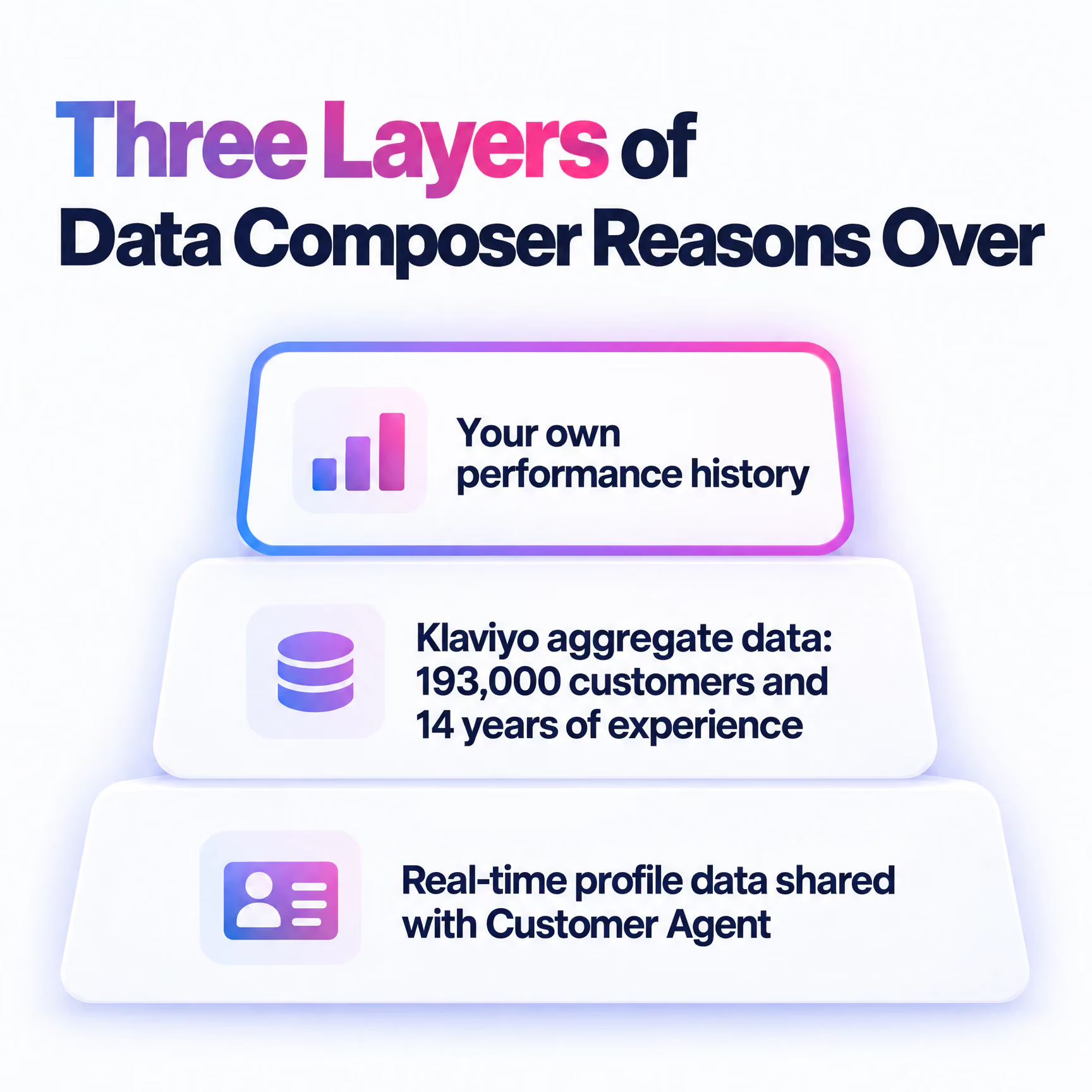
It reasons over three layers of data. First, your own performance history. Second, Klaviyo's aggregate data, which Klaviyo put at 193,000 customers and 14 years of experience at launch. Third, the real-time profile data it shares with Customer Agent, Klaviyo's AI service agent.
It also reads the page you're on. Open Composer on a flow, campaign, form or template and it uses that asset as context. "Audit this" is a complete prompt.
The older Klaviyo AI tools for email marketing still sit behind a sparkle icon. They include Segments AI, Email AI, SMS AI and Reviews AI. Composer pulls that work into one conversation.
Campaign Drafts Land in Minutes on Any Channel (1–10)
Brief once, review once, ship. Every campaign item below runs the same loop.
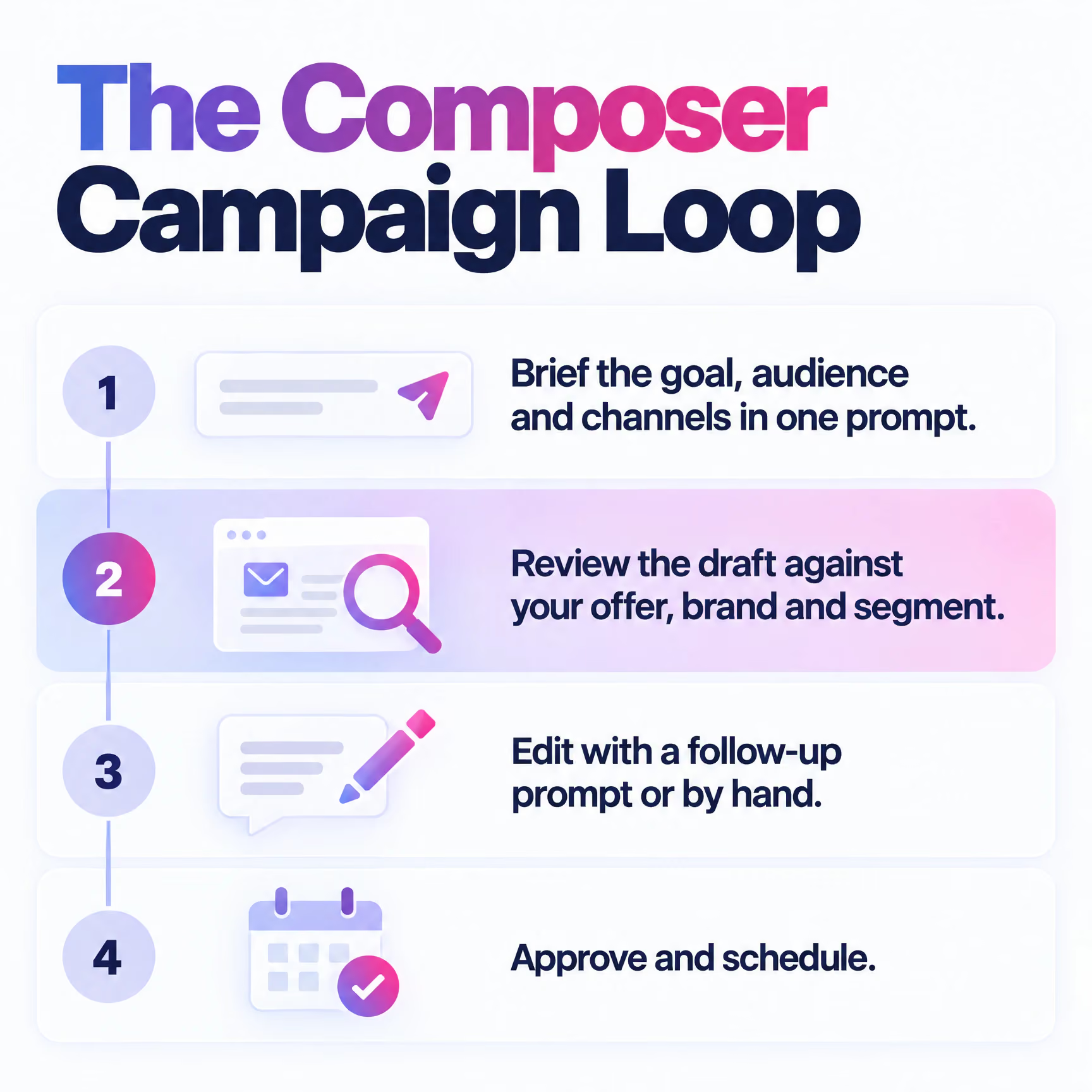
- Brief the goal, audience and channels in one prompt.
- Review the draft against your offer, brand and segment.
- Edit with a follow-up prompt or by hand.
- Approve and schedule.
Klaviyo's launch prompt was "build me a fun spring re-activation campaign, targeting lapsed customers across email and text". Klaviyo says the output is ready to refine in minutes. Refine is the operative word.
1. Seasonal reactivation. Reuse Klaviyo's spring prompt with your own season and offer. Sign off. Discount depth is a margin decision.
2. Product launch email. "Draft a launch email for [product] to engaged subscribers, with one hero image and one CTA." Sign off.
3. SMS companion. Open a finished email campaign and ask for a short SMS version for the same segment. Run it.
4. MMS for visual products. Ask for an MMS variant when the product sells on looks. Sign off. Image choice matters.
5. Push for app users. One line, one deep link, one reason to tap. Run it.
6. One brief, four channels. "Create a [sale] campaign for VIPs across email, SMS, MMS and push." Sign off. Cross-channel frequency needs a human eye.
7. Subject lines. Klaviyo's subject line assistant suggests 3 options from a short description. Run it, then test.
8. Copy rewrites. "Rewrite this campaign shorter and plainer, keeping the offer." Run it.
9. Campaign recommendations. "What should I send lapsed customers this month, based on my results?" Sign off. It recommends. You choose.
10. Delivery cut-off reminders. "Draft a last-order-date reminder for [date] across email and SMS." Run it.
One Prompt Now Drafts a Whole Flow and Its Messages (11–20)
Since 4 August 2026, one prompt can draft a flow's structure plus its email, push and SMS/MMS messages. Klaviyo's example is "Create a browse abandonment flow with 3 emails and 2 SMS messages." Drafting is the quick part. Trigger logic, filters and timing still need a human check. So does the email automation & flows plan itself. Picking which of the 100 ways to automate campaigns with flows your lifecycle marketing needs is strategy.
11. Browse abandonment. Run Klaviyo's example as written, then set the timing yourself. Sign off.
12. Welcome series. "Create a welcome flow with 3 emails and 1 SMS for popup signups." Sign off.
13. Cart abandonment. "Create a cart abandonment flow with 2 emails and 1 SMS that answers delivery and returns questions." Sign off.
14. Checkout abandonment. Ask for a shorter flow than cart, with SMS as the second touch. Sign off.
15. Post-purchase. "Create a post-purchase flow with a thank-you, a how-to-use email and a review request." Run it.
16. Win-back. "Create a win-back flow for customers with no order in [X] days." Sign off. The incentive ladder is commercial.
17. Back in stock. "Create a back-in-stock flow with 1 push and 1 email." Run it.
18. Low inventory. Ask for 1 email and 1 SMS for a Klaviyo low inventory flow, then check the stock threshold yourself. Sign off.
19. Sunset flow. "Create a sunset flow for profiles who haven't engaged in [X] days." Sign off. Deliverability rides on it.
20. Flow subject lines. The same subject line assistant works inside flows. Run it.
Describe the Audience and Skip the Segment Rules (21–28)
Composer turns a one-line description of an audience into segment conditions, so you describe who you want instead of stacking rules. Klaviyo's example is "Create a segment of profiles with email consent who have ordered 3 or more times in the last 6 months." The older Segments AI "Define with AI" option does the same in the segment builder, on paid Klaviyo accounts.
Read the generated conditions every time. One wrong "or" changes who gets the message. Recency, frequency and consent remain the core of good email list segmentation tactics. Composer just writes the rules faster.
21. Consented repeat buyers. Klaviyo's own example, as written. Run it.
22. Lapsed customers. "Profiles who have ordered before but not in the last [X] days." Run it.
23. Category gaps. "Profiles who have bought from [category A] but never from [category B]." Run it.
24. SMS-consented engagers. "Profiles with SMS consent who clicked an email in the last [X] days." Run it.
25. One-time buyers. "Profiles with exactly one order, placed [X] to [Y] days ago." Run it.
26. VIPs. "Top spenders by lifetime value." Sign off. Where the VIP line sits is a commercial call.
27. Engaged non-buyers. "Profiles who opened or clicked recently but have never ordered." Run it.
28. Suppression. "Profiles with no opens or clicks in [X] days." Sign off. Excluding them moves deliverability and revenue at once.
Audits Cost Pennies, So Start Your Composer Habit There (29–38)
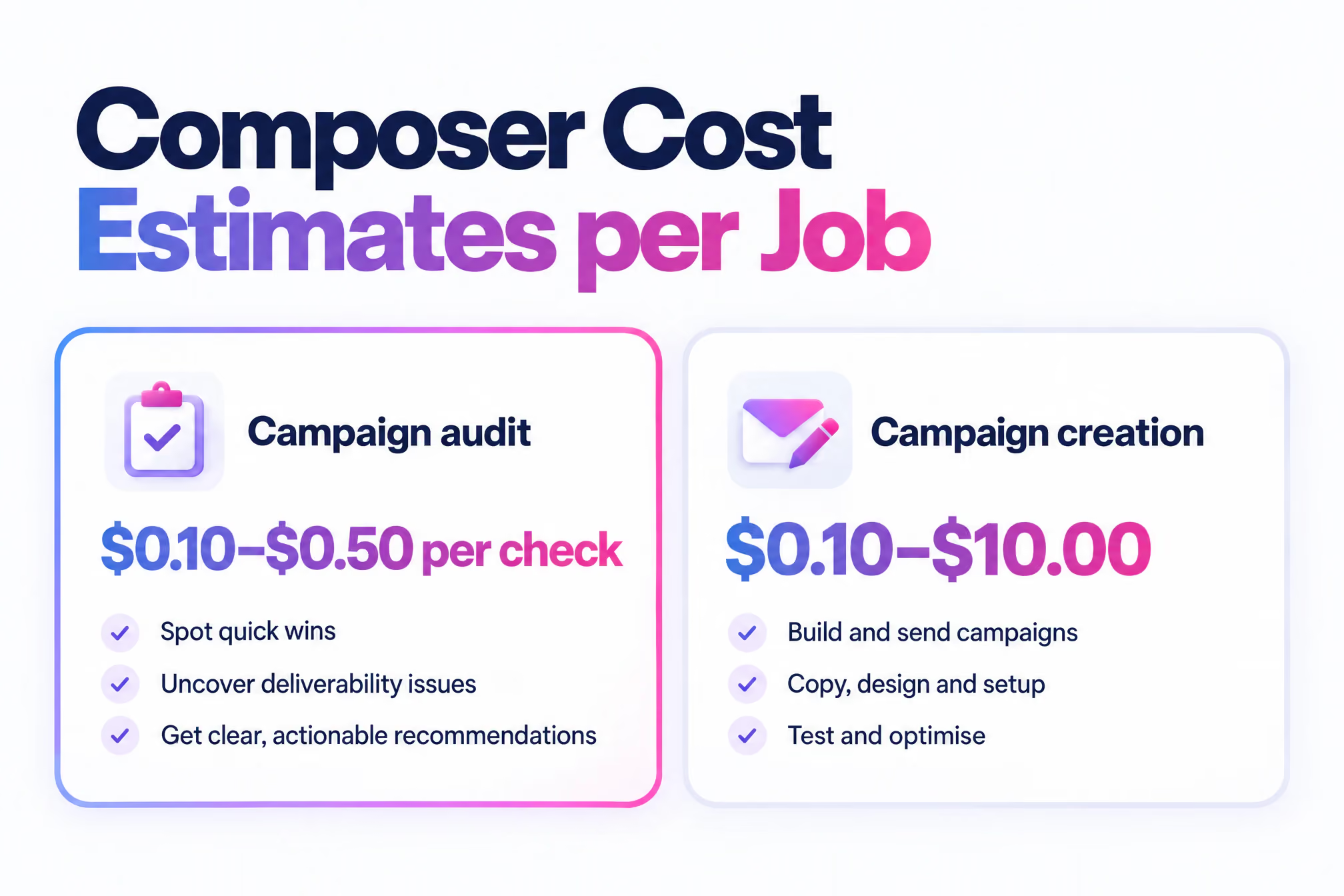
Auditing is the best-value Composer job. Klaviyo estimates a campaign audit at $0.10–$0.50 per check, and an SMS/MMS audit at $0.25–$1.80. Its estimate for creating a campaign is $0.10–$10.00. Open Composer on any flow, campaign, form or template and say "audit this." Add a focus for sharper output. Verify each finding before you change anything.
29. Welcome flow. It's your first impression, so start there. Run it.
30. Pre-send campaign check. Run "audit this" on every campaign before scheduling. Run it.
31. SMS and MMS. Audit every text campaign before it goes. Mistakes in texts are harder to walk back. Run it.
32. Signup forms. "Audit this form for friction and for what it asks." Sign off. Forms are where your zero-party data comes from.
33. Templates. Audit your master templates once, not every campaign built on them. Run it.
34. Overlaps. "Audit this flow for messages that could reach a profile on the same day as other flows." Sign off.
35. Trigger and filter logic. "Check this flow's trigger and filters for profiles who would qualify twice or never." Sign off.
36. Accessibility. Ask about alt text, colour contrast and link text. Run it.
37. Compliance. Ask about consent, unsubscribe links and sender details. Sign off. Legal accountability stays with you.
38. Ranked fix list. "List the fixes by likely impact." Apply the ones you agree with. Sign off.
Composer Now Reaches Well Beyond Drafting (39–45)
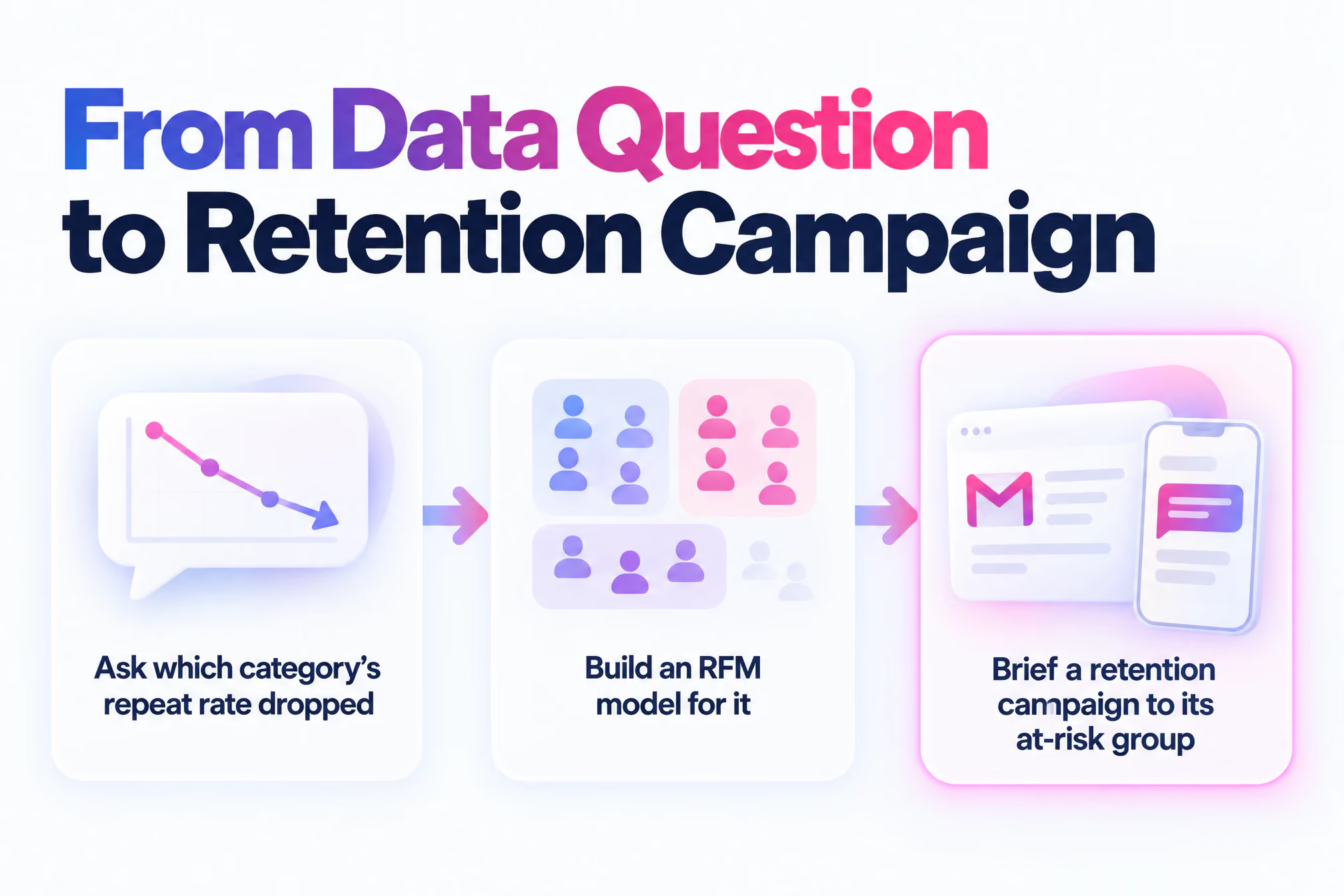
Composer moved into analysis with Klaviyo's 13 October 2026 update. It added data questions through Klaviyo SQL and up to 4 RFM models, one per product category. RFM groups customers by recency, frequency and monetary value. One sensible chain: ask which category's repeat rate dropped, then build an RFM model for it. Then brief a retention campaign to its at-risk group.
39. Plain-English data questions. "Which product category's repeat purchase rate fell most this quarter?" Sign off. The query is quick. The interpretation is yours.
40. RFM by category. Build separate RFM models for up to four categories. Sign off.
41. Customer Agent builds. Building, testing and analysing Customer Agent through Composer uses no Composer credits. Composer has replaced the old Agent Builder "Build" tab. Sign off.
42. Service on every channel. Customer Agent works across chat, SMS, email and WhatsApp. Sign off.
43. Localised replies. The October update also localised Customer Agent replies by market. Sign off.
44. Service insight into marketing. Preferences, interests and intent from service chats can feed the profile Composer uses. That's zero-party data. Customers told you directly. Use it for personalisation. Sign off.
45. Klaviyo from other AI tools. Under Klaviyo Headless, more than 260 Klaviyo MCP tools can be called from Claude, ChatGPT or other AI systems. Klaviyo also exposes 490+ Klaviyo APIs to them. MCP is the protocol that lets an outside assistant use software tools. Sign off. Sort permissions first.
Credits Burn Faster on Creation Than on Audits (46–50)
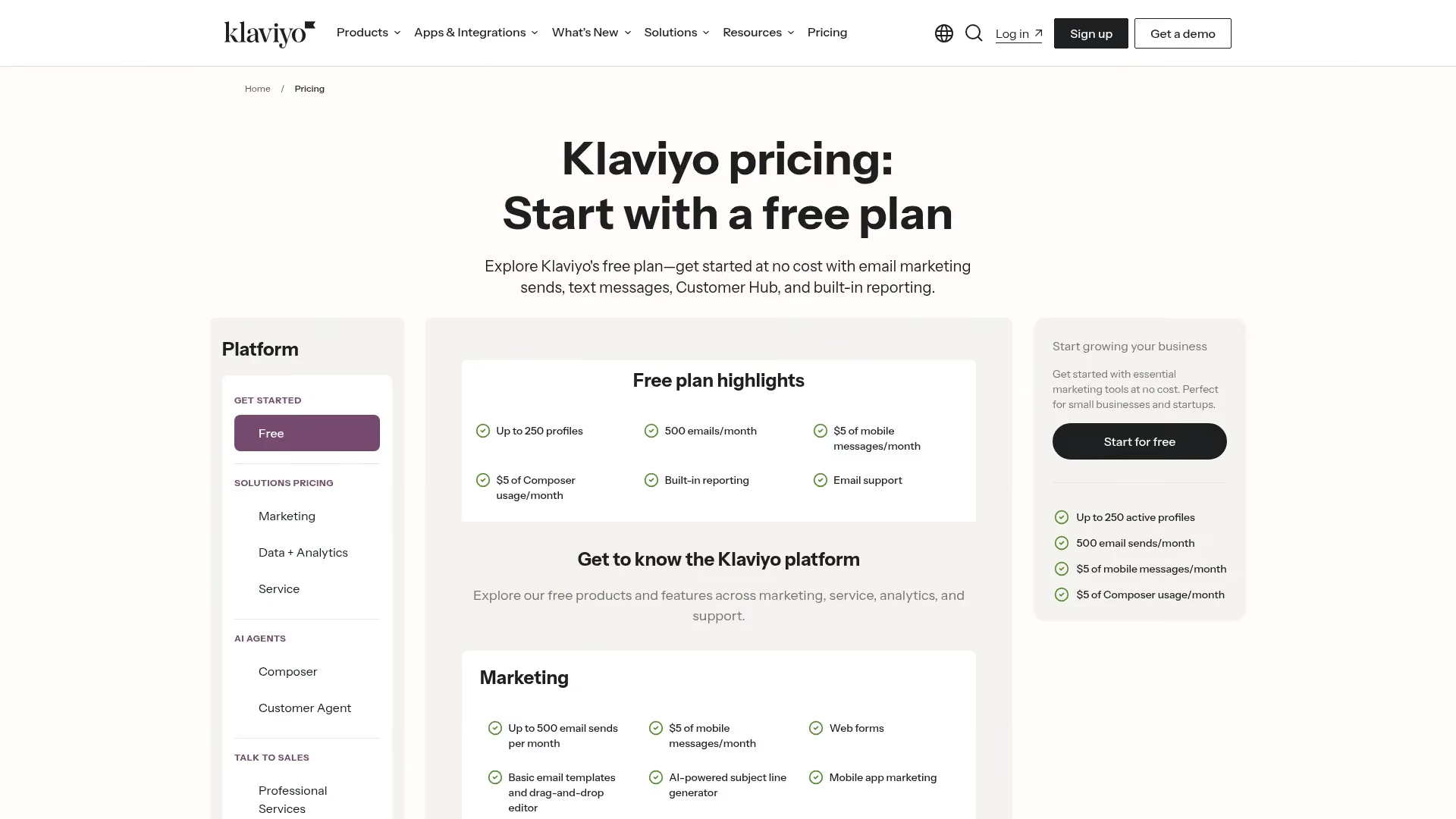
Klaviyo gives every customer a free Composer plan with 500 credits per cycle, and charges $20/month for 2,000 credits on the paid plan. Its pricing page lists the free allowance as "$5 of Composer usage/month". Public beta accounts got 10,000 free credits for 90 days and a $14/month plan for 2,000 credits. Both are now legacy.
Housekeeping, so no flags.
46. Start free. At pennies per check, the free allowance stretches furthest on audits.
47. Check for legacy terms. Joined the public beta? Confirm your plan before the bill arrives.
48. Budget creation high. Klaviyo warns that actual campaign creation usage can exceed its estimate.
49. Route Customer Agent work through Composer. It costs no credits.
50. Upgrade on habit, not hope. Move to paid once briefing campaigns is a weekly routine. On its Q2 2026 earnings call, Klaviyo said nearly a quarter of Composer users had become recurring weekly users.
Prompts That Name Five Things Get Usable First Drafts
Every Composer prompt should name the goal, the audience, the channels, the number of messages and your brand constraints. Klaviyo's own examples do. Vague briefs get generic drafts, from Composer or from a junior copywriter. The specificity that makes general AI prompts for email marketing work matters just as much here. Swap the brackets in these six templates.
- "Create a [campaign type] campaign for [segment] across [channels]. The goal is [metric]. Keep the tone [brand rule] and avoid [word or offer]."
- "Create a [flow type] flow with [n] emails and [n] SMS messages, triggered when [event]."
- "Create a segment of profiles with [consent type] who have [behaviour] in the last [period]."
- "Audit this [flow, campaign, form or template] for [overlaps, accessibility or compliance] and list fixes by impact."
- "Which [segment or category] changed most in [metric] over [period], and what might explain it?"
- "Rewrite this message for [segment], under [length], keeping the offer unchanged."
Composer's Benchmarks Describe an Average Brand, Not Yours
Aggregate data is a good guide to what works on average. It's a poor guide to your margins, your customers or your brand. A benchmark doesn't know you're cutting discounts this year. Your team does.
IDC's Gerry Murray describes a shift "from AI assisting discrete tasks to taking on more complete workflows." More complete workflows still need an owner.
Build three rules into your eCRM programme. Nothing sends without a named person approving it. Every segment's conditions get read before use. And you agree a policy on disclosing AI-written content before a customer asks.
Quick Answers
What Is Composer in Klaviyo?
Composer is Klaviyo's native AI agent. It turns a plain-language prompt into a campaign, flow, segment or audit, using your account data and Klaviyo's aggregate data. It has been available to every Klaviyo customer since 13 October 2026.
Does Klaviyo Do CRM?
Yes. Klaviyo is a B2C CRM built around customer profiles, segments, flows and campaigns. Composer and Customer Agent are the AI agents that work on top of that data.
Can I Use AI to Do My Marketing?
You can use AI for much of the production work, from drafting campaigns to auditing flows. Strategy, approval and final sign-off should stay with your team.
Your First Week with Composer, One Task a Day
Four prompts and one billing check. Open Composer on the right page and paste.
- Monday. On your welcome flow, "Audit this flow for overlaps, timing gaps and accessibility issues, and list fixes by impact."
- Tuesday. On last month's highest-revenue campaign, "Audit this campaign and tell me what to change before I reuse it."
- Wednesday. "Create a segment of profiles with email consent who have ordered once but not in the last [X] days."
- Thursday. "Create an email and SMS campaign for [Wednesday's segment] to win a second order. Keep the tone [brand rule]."
- Friday. Open your Composer plan and see how much of your 500 credits the week used.
Want a strategist signing off what Composer drafts? Enchant is a Klaviyo Master Platinum Partner running lifecycle programmes for ambitious brands. Talk to us.