.svg)
10 Little-Known Flows to Increase Ecommerce Conversion Rate
.avif)
To increase ecommerce conversion rate, fix your checkout and trust basics first. Then build automated flows that bring back the visitors who weren't ready to buy. The checkout work pays. Baymard estimates that fixing only the solvable checkout issues it has documented could lift the average large ecommerce site's conversion rate by 35.26%. But that only reaches shoppers ready to buy. In Baymard's quantitative study, 42% of US online shoppers had abandoned a cart in the previous three months. They were just browsing or not ready to buy. No checkout redesign reaches them.
Flows do. Klaviyo reports that email flows generate nearly 41% of total email revenue from just 5.3% of sends. Below are ten flows that rarely make the usual CRO lists. Each is paired with the site fix it depends on. A recovery email that lands on a broken page recovers nothing.
Ecommerce Conversion Rate Depends on Which Denominator You Use
The same orders can give you two different conversion rates. It depends on what you divide by. Orders ÷ sessions × 100 gives a session-based rate. Orders ÷ unique visitors × 100 gives a visitor-based rate. Both count the share of traffic that ends in an order.
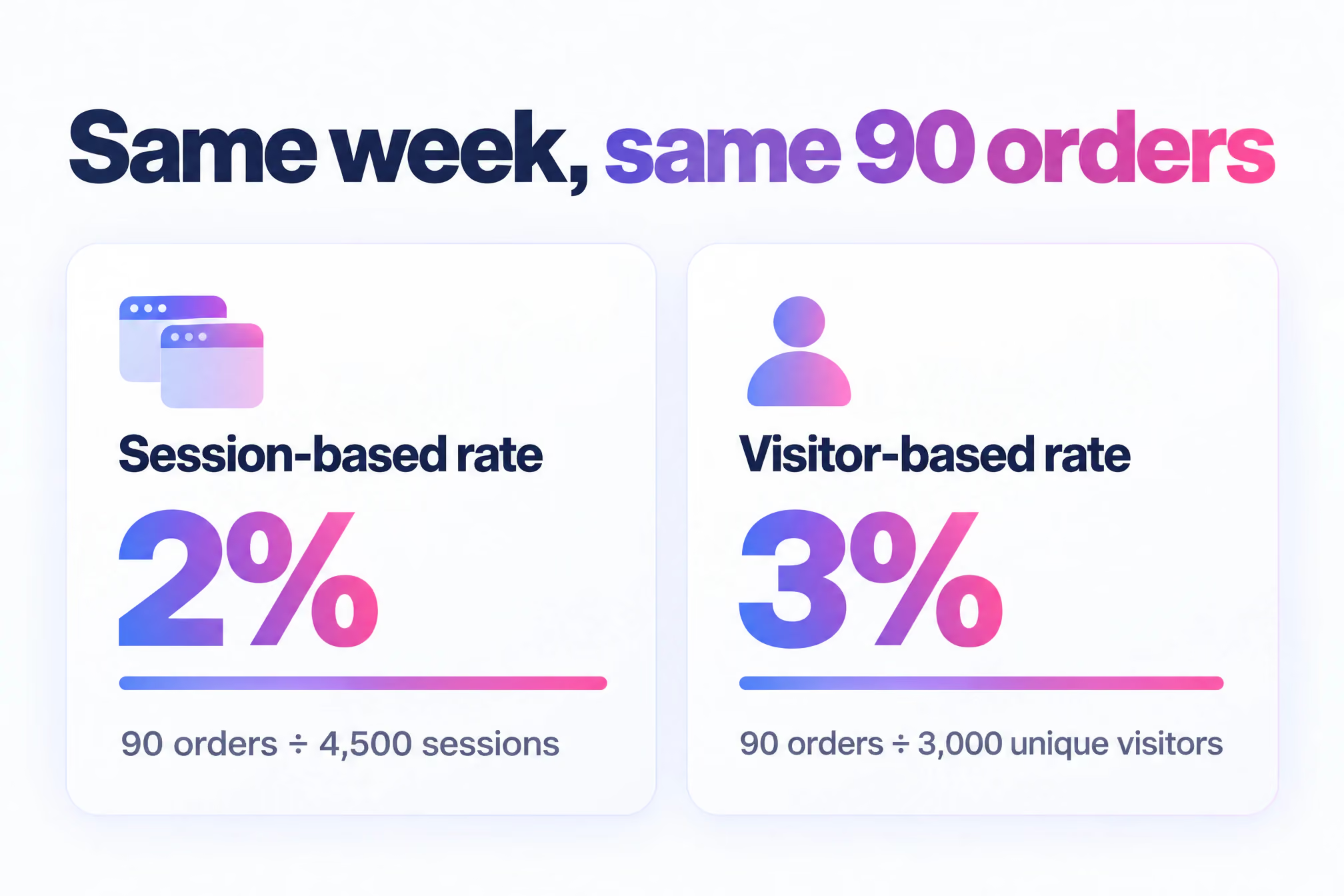
Take a hypothetical store. In one week it takes 90 orders from 4,500 sessions and 3,000 unique visitors. Divide by sessions and you get 2%. Divide by visitors and you get 3%. Same week. Same orders. A full point apart.
Neither is wrong. Mixing them is. Find out which one your platform and your analytics tool report before you compare against a benchmark, a competitor's claim or last quarter's board deck. Then write the denominator next to the number every time it appears in a report.
Email and SMS reporting adds a third denominator. A flow's conversion rate is usually orders divided by the people who received it. That's a smaller, warmer group than site traffic. Flow rates and site rates should never share a chart.
A 12% or 30% Conversion Rate Usually Measures Something Narrower
When a conversion rate looks spectacular, it's usually a different metric. Several metrics share the word "conversion", and each divides by something different. Check which one you're looking at before you judge it.
A 12% conversion rate can be good for a single flow, a returning-customer segment or a cart-to-order rate. Across all site traffic, it's high enough that you should check the tracking and the denominator before you celebrate.
A 30% figure needs the same scrutiny. Omnisend's 2026 benchmark puts win-back emails at a 33.11% open rate but a 0.54% conversion rate. A number in the 30s is far more likely to be an open rate or a cart-to-order rate than a site-wide conversion rate.
So what's a good rate? One that beats your own baseline on the same denominator. Published benchmarks move with platform, industry, device and country. They only describe an average. Your store isn't the average. A high-ticket furniture brand and a consumables brand will never convert alike. Mobile and desktop traffic behave differently. Payment habits differ sharply between markets, as the wallet data in flow 4 shows.
Measure the Funnel Before You Build a Single Flow
Funnel measurement tells you whether shoppers leave because a page is broken or because they weren't ready, and only the second problem is one a flow can fix. That's the short answer to how you raise conversion. Measure where people drop out. Fix the on-site leaks. Then automate the follow-up for everyone who left on timing.
Run this checklist before you open Klaviyo or Braze.
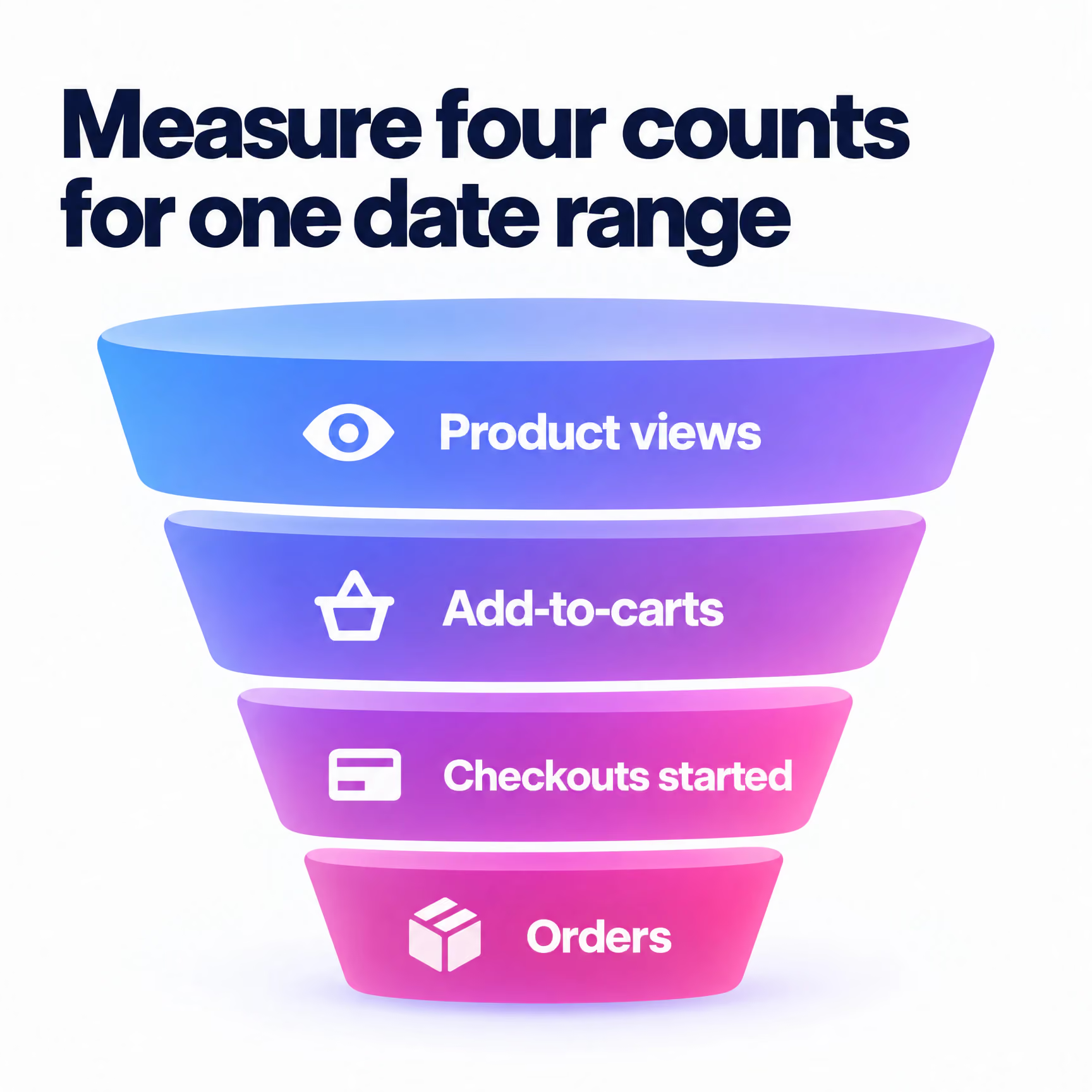
- Pull four counts for one date range. Product views, add-to-carts, checkouts started and orders.
- Calculate each step's drop-off. The biggest gap is where you start.
- Split by device. Mobile and desktop can leak at different steps, and an average hides both.
- Split new and returning visitors. Returning customers flatter the whole.
- Watch session recordings of the worst step. Keep watching until the same problem repeats.
- Check heatmaps on your weakest product pages. Look for ignored images, missed size guides and dead clicks.
- Label each leak. On-site means fix the page. Timing means build a flow.
- Record your baseline. Conversion rate, denominator and date range, written down.
Don't skip the labelling. If recordings show error messages, rage clicks or forms that won't submit on mobile, that's on-site. If people browse normally, compare a few products and leave, that's timing. A flow can't fix a broken postcode field. It can follow up with someone who wanted to think about it.
Fix the Floor Before Flows Can Increase Ecommerce Conversion Rate
Every flow in this list sends people back to your site. A slow mobile page or a forced account wall wastes the click you just worked to win. Baymard surveyed 1,026 US adults who had shopped online. 18% said they had abandoned an order because they didn't want to create an account. That's a recovery email undone by a login screen.
The prize is large. Baymard puts recoverable lost orders from solvable checkout issues at about $260 billion across US and EU ecommerce. Work through the floor first.
- Make guest checkout the default. Offer account creation after the order, when it costs the shopper nothing.
- Cut form fields. Drop anything you don't need to ship and bill. Hide company name and address line 2 behind a link.
- Turn on address autofill and browser autocomplete. Every character typed on a phone keyboard is friction.
- Keep checkout short. A one-page checkout, or a short multi-step flow with a clear progress indicator.
- Simplify login and password reset. A returning customer who forgot a password shouldn't hit a reset loop mid-checkout.
- Put express pay at the top. Apple Pay, Google Pay and PayPal buttons sit above the form.
- Show the full cost early. Delivery charges and any duties belong on the product page or cart, never first revealed at payment.
- Pass Core Web Vitals on mobile. Use real-user data for the pages your flows link to, not just the homepage.
Speed and mobile deserve their own line. Core Web Vitals are Google's measures of loading speed, responsiveness and visual stability. Check them on the exact pages your flows link to. That means product pages, the restored cart and checkout. A homepage score tells you nothing about a product template weighed down by review widgets and third-party scripts. Flows are read on phones, so test every flow link on a mid-range phone over mobile data, not office Wi-Fi. If a page needs pinching to read, the responsive design isn't finished.
1. Exit-Intent Popups Earn More as the Start of a Flow
Capture the address, not the sale. A discount code converts one visit at a margin cost. An email address with consent lets you follow up for months. That makes the popup the entry point to a browse-abandonment sequence, not a one-off offer.
The CTA decides which you get. "Subscribe to our newsletter" offers nothing. "Email me my shortlist" or "Send me the size guide" offers something tied to what they were looking at. Write the button as the benefit, in the shopper's words. Keep the form to one field.
Add one zero-party data question if you can. "What are you shopping for today?" with three or four tap options. The shopper volunteers the answer. It tells your browse flow which content to send, and it beats guessing from clicks.
Placement matters as much as copy. On desktop, exit intent fires when the cursor heads for the tab bar. Phones have no cursor, so use scroll depth or time on page on mobile. Suppress the popup for anyone already identified. Asking a subscriber to subscribe is a wasted impression and a mild insult.
Then route every capture straight into flow 2. A popup that isn't connected to a flow is a list-growth tactic. Nothing more.
2. Browse Abandonment That Shows the Product From a New Angle
Browse-abandonment emails are the one automated touchpoint built for shoppers who were just browsing, the group Baymard found checkout design can hardly reach. They trigger when an identified visitor views a product and leaves without adding to cart. Most lifecycle platforms, Klaviyo and Braze included, can fire them from a product-view event, provided you know who the visitor is.
The common mistake is resending the packshot the shopper already looked at and ignored. If the product page didn't convince them, repeating it won't. Use the email to show what the page undersold. The detail shot. An alternative angle. The product in use. A short video, or a link to the 360 view.
Say someone viewed a linen shirt three times and left. Send the close-up of the weave, a model shot in daylight and a line on fit. Skip the generic "Still thinking about it?" header with a cropped thumbnail. That's personalisation with substance, not a first name in the subject line.
Keep the flow short. One email within a few hours, a second a day or so later, then stop. Suppress anyone who bought or added to cart in the meantime. Cap frequency across all abandonment flows so a heavy browser doesn't get several emails in one day. Your deliverability depends on it.
The flow also gives you feedback. Products with heavy browse abandonment and weak recovery usually have a product page problem. Move the angles that worked in email onto the page itself.
3. Cart Abandonment That Answers the Cost and Returns Question
Cart-abandonment emails should restate the total cost, the delivery terms and the returns policy, because those are the questions a cart page often leaves open. Baymard puts the average documented cart abandonment rate at 70.22%, averaged across 50 studies. Your cart flow works on the biggest pool of warm intent you have.
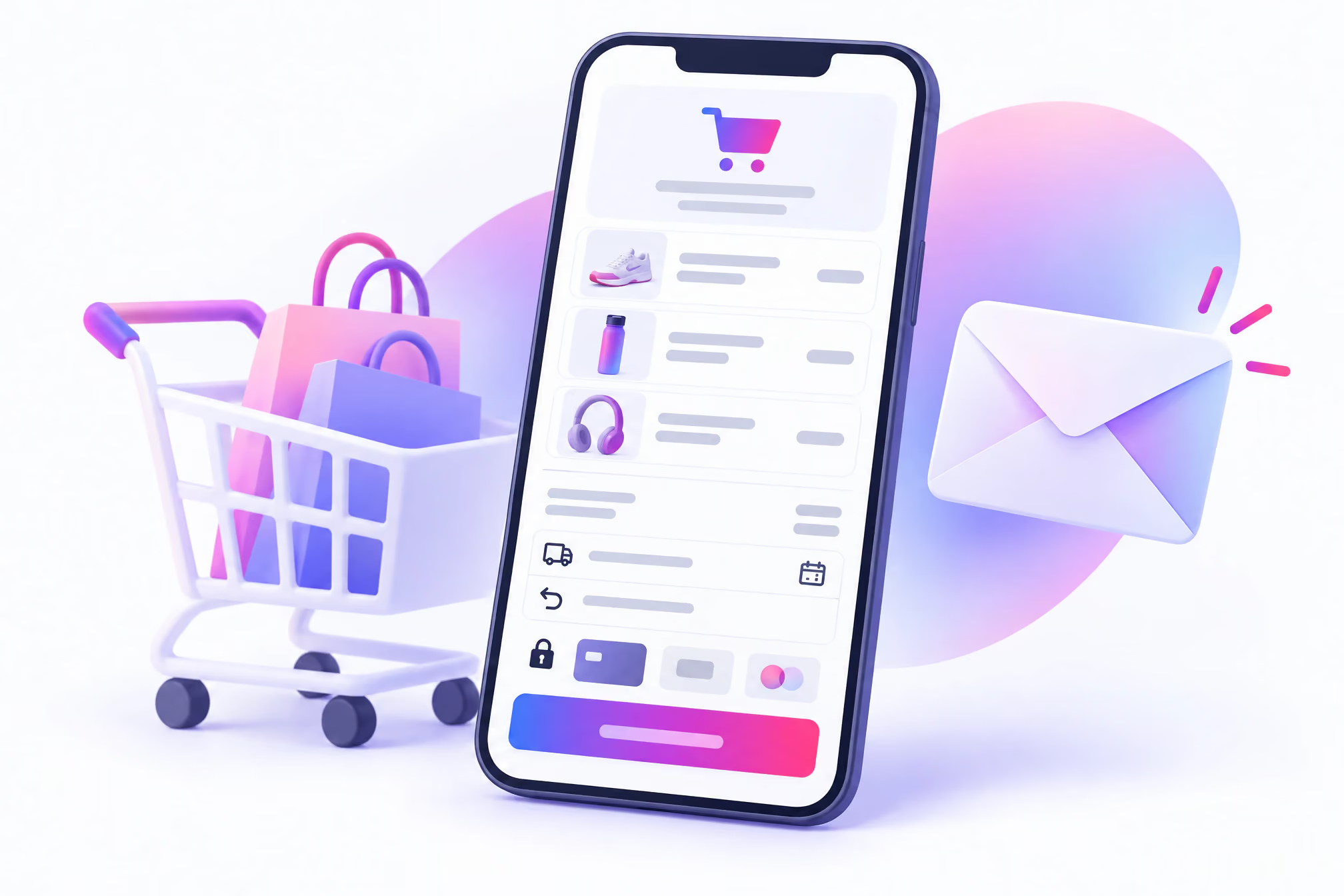
Most cart emails are a product image and a "Complete your order" button. Fine as a start. Build one that reads like a mini checkout page instead.
Include the line items with images, the subtotal and the delivery cost, or how far the shopper is from a free-delivery threshold. Add an estimated delivery date. State the returns window in plain words, plus who pays for return postage. If returns are free, say so in the first screen, not the footer.
Trust signals belong here too. Show accepted payment logos and a line on secure checkout. Make sure the link lands on an HTTPS checkout with the basket restored, not an empty cart. A reply-to address that reaches a person beats a no-reply inbox.
Hold the discount. Lead with information in the first message and save any incentive for a later step, only for carts above a value you can afford to discount. Train customers to abandon for a code and they will. Use real cart abandonment email examples as references when you brief design, and copy the structure rather than the offer.
4. Checkout Abandonment That Links Straight to Express Pay
A checkout-abandonment message should drop the shopper back into a pre-filled checkout with wallet buttons ready, because someone who started checkout has already decided they want the product. Treat it as a separate flow from cart abandonment. Trigger it from the checkout-started event, with a shorter delay and less selling.
Wallets now carry a huge share of the payment step. Worldpay data shows digital wallets made up 56% of global ecommerce spend in 2025. In the US, Worldpay found wallets accounted for about 40% of online transaction value. Asia-Pacific led every region. There, Worldpay reported wallets made up 77% of online spend, worth US$2.7T.
Your message needs to do three jobs. Deep-link to a restored checkout, not the cart. Show Apple Pay, Google Pay and PayPal above the form. And say plainly that no account is needed, which tackles the account-wall problem from earlier head on.
Localise the options. Segment checkout abandoners by country and show the wallets and local payment methods each market uses. A US shopper and a shopper in Asia-Pacific shouldn't see the same payment row. For higher-value baskets, mention buy now, pay later (BNPL) instalments if you offer them. Spreading the cost changes the decision for some shoppers.
One message, maybe two. Then stop. Checkout abandoners are your warmest leads, and a long chase turns warm into irritated.
5. Search Abandonment Catches Shoppers Who Couldn't Find It
A search-abandonment flow follows up when a known visitor searches your store, finds nothing useful and leaves, and it doubles as a free audit of your navigation. It takes more set-up than the standard flows because it needs a custom event.
Send the search query, the results count and the session ID to Klaviyo or Braze as an event. Trigger the flow when a search returns zero results, or returns results but no product gets clicked before the session ends. Wait an hour or so. Then send curated picks that match the intent of the query.
A zero-results search for "waterproof walking boots" should get your best waterproof boots and a link to the right filtered category. Hand-pick matches for your most common failed queries rather than trusting the search engine that just failed. Suppress anything that looks like gibberish. Nobody wants an email titled "Results for 'asdfgh'".
Then read the queries every week. Each failed search is a navigation gap. Add synonyms. Fix filters that return nothing. Enable search within a category, and add a View All option to long category pages. The flow recovers some visitors. The query log stops you losing the next ones.
6. Post-Purchase Review Requests That Feed Your Product Pages
Reviews sell, and a post-purchase flow is the cheapest way to collect them. In 2017, Northwestern's Spiegel researchers found a product with five reviews was 270% more likely to be bought than one with none. The same Spiegel research showed displaying reviews raised conversion by 190% for lower-priced products and 380% for higher-priced ones.
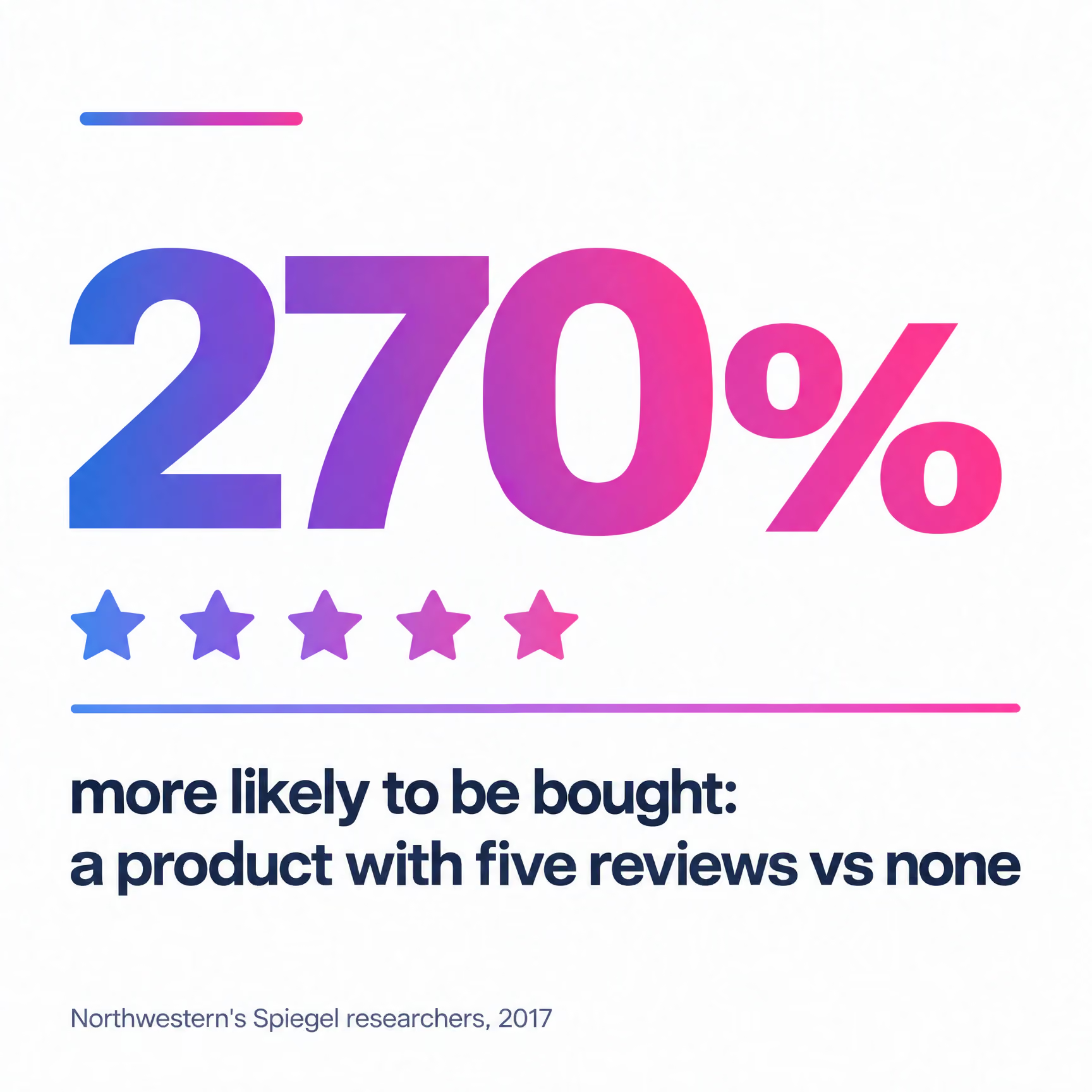
That price gap tells you where to start. Prioritise review requests for your higher-priced products and any SKU sitting at zero reviews.
Time the ask from delivery, not dispatch. A review request that arrives before the parcel is noise. For products that need using first, such as skincare or running shoes, wait until the customer has tried them. Your delivery and usage data set the delay, not a template default.
Make the first step one tap. A star row inside the email that opens a pre-filled form removes a step compared with a button that leads to a login. Then ask for a photo. Customer images earn their place twice, on the product page and inside the browse-abandonment emails from flow 2.
Route low ratings to customer service before anything else happens. A two-star rating is a support ticket first and a review second.
The review request is one email in a longer post-purchase sequence. Order confirmation, delivery updates and how-to-use content all sit around it. Each is a chance to delight customers post-purchase before you ask them for anything.
7. Back-in-Stock and Low-Stock Alerts Are Urgency Customers Believe
Real scarcity converts. Fake scarcity costs you trust. Inventory-triggered alerts work because the shopper can check the claim. A countdown timer that resets on refresh tells them every other claim on your site might be invented too.
Treat out-of-stock pages as capture points, not dead ends. Add a "Notify me" field to every one. Collect email or SMS consent. Trigger the alert the moment stock syncs. The subscriber asked for this message, which puts it among the most welcome emails you'll ever send.
Low-stock alerts aren't pushy when they're accurate. They're a service. Trigger them for products a shopper viewed or carted when inventory drops below a threshold you set. Quote the number left only if your stock data is reliable.
Shipping cutoffs are the other honest lever. The next-day delivery cutoff, or the last order date before Christmas, is urgency with a real deadline. Send it to recent browsers and cart abandoners on the day it matters.
8. Mobile-First SMS Nudges Only Convert on Fast Pages
A text is only as good as the page it opens. SMS is your most direct channel, and a slow mobile product page wastes it.
Use SMS sparingly and only with explicit consent. Checkout abandonment, back-in-stock alerts and shipping cutoffs are the strongest candidates. Keep the copy short. Name the product. Link to the restored cart or the exact product page, never the homepage.
Pair every SMS flow with the Core Web Vitals work from earlier. If your funnel audit showed mobile converting below desktop, start here. Run the mid-range phone test on every SMS link before it goes live. If the layout shifts as images load, buttons jump under the shopper's thumb. If the main image crawls in, they close the tab. Fix the template, then send.
Coordinate the channels. If a customer is eligible for an email and a text for the same cart, make the SMS a later step that fires only if the email didn't convert. Two channels saying the same thing in the same minute reads as desperation.
9. Birthday Flows With Outsized Order Values
Birthday automations bring in unusually large orders. Omnisend recorded a $744.37 average order value for birthday automations in 2025, more than four times its platform average. Treat that as a platform average, not a forecast for your store.
The flow runs on zero-party data. Ask for birthday day and month at signup or in your preference centre, and say what the customer gets for sharing it. Skip the year. You don't need it, and asking for it makes the form feel like a credit application.
Send from a sender name customers recognise. Send a few days before the date, so there's time to shop, with a reminder on the day. Frame it as a gift or early-access perk rather than another sale. Suppress anyone with an open complaint or a recent return.
Birthdays also work as a gifting trigger. Let customers add a partner's or friend's birthday, and you get a second reason to email that has nothing to do with discounting.
10. Win-Back Timed to Your Real Purchase Cycle
Win-back flows should trigger from your own repeat-purchase interval, because a generic default fires too early for some catalogues and far too late for others. Omnisend's 2026 benchmark puts reactivation emails at a 33.11% open rate and a 0.54% conversion rate. People open them. Few buy. Timing and relevance are the levers you control.
Start with your own order data. Pull customers with at least two orders and calculate the median days between first and second purchase. A coffee subscription and a sofa brand will get very different answers. Fire the first win-back message when a customer passes that interval with no order, plus a small buffer.
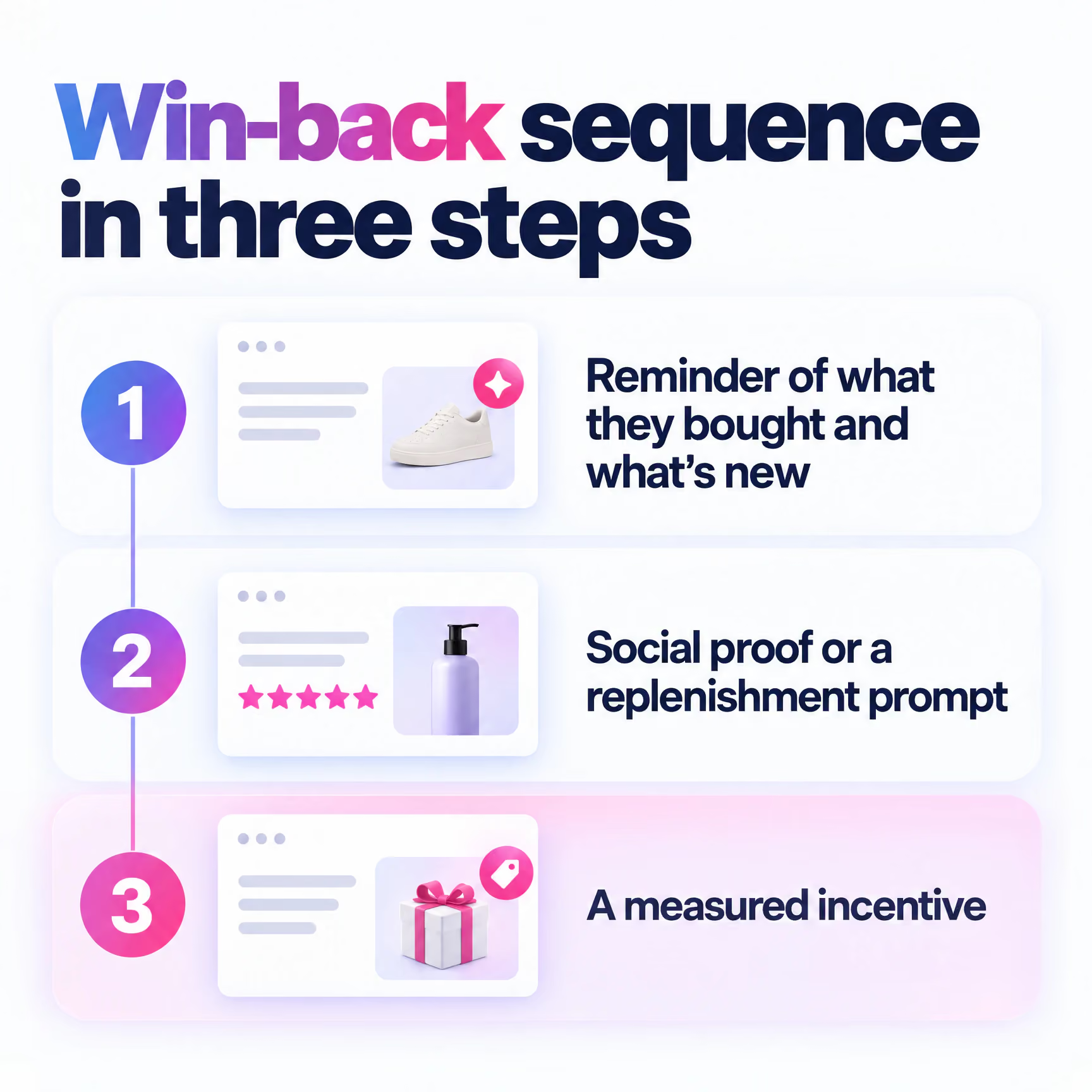
Build the sequence in three steps. First, a reminder of what they bought and what's new in that category. Second, social proof or a replenishment prompt. Third, if they still haven't returned, a measured incentive. Segment by category so a lapsed skincare buyer doesn't get a homeware email. Retention comes from relevance, not volume.
Then let go. Customers who ignore the whole sequence should move into a sunset flow and, eventually, out of your regular sends. Mailing the unengaged indefinitely drags down deliverability for everyone else on the list, which is why any email reactivation programme for retailers needs an exit as much as an entry.
Test Every Flow the Way You'd Test a Landing Page
Flow testing should change one variable at a time and judge the result against your own baseline, not a platform benchmark. Subject line, send delay or incentive depth. Pick one. Split the audience. Wait for enough orders to call it.
Benchmarks won't settle it, because platforms measure differently. Klaviyo reports flow revenue per recipient nearly 18× higher than campaigns. Omnisend's 2025 data covered 150,000 brands and 27 billion emails. In it, automated emails were 2% of sends but generated 30% of email-driven revenue. They earned $2.87 per send versus $0.18 for scheduled campaigns.
One figure is per recipient. The other is per send. Both say flows beat campaigns. Neither tells you what your browse flow should earn.
Full disclosure, we're a Klaviyo Master Platinum Partner, so weigh our platform preferences accordingly. The testing discipline is the same in any tool.
Use holdout groups for your biggest flows. Keep a small share of eligible customers out of the flow entirely and compare their conversion rate with the people who received it. That shows incremental revenue rather than revenue the flow simply takes credit for. Apply the same CRO principles to email that you'd apply to a product page, including heatmaps and recordings on the pages your flows land on.
Quick-Win Flows to Launch Now and the Ones That Need Data First
The quickest flows to launch run on events your store already tracks, while the slower ones need data you have to start collecting. This table ranks all ten by build effort and what each depends on.
Birthday is easy to build but waits for month two because it's only as good as the birthday field. Start collecting now. Win-back can go live in month one once you've worked out your interval, but expect to tune it as more customers pass through. Once these ten are running, the same events can power many more email automation flows, so build your event tracking to last.
Quick Answers
How Can I Increase My Ecommerce Conversion Rate?
Measure where visitors drop out, fix checkout, speed and trust problems on the site, then add automated flows that bring back shoppers who weren't ready. Start with cart and checkout abandonment, then browse abandonment and review requests.
What Is a Good Conversion Rate for Ecommerce?
A good rate is one that beats your own baseline on the same denominator. Benchmarks vary by platform, industry, device and country and only describe averages, so compare against your own trend first.
Is a 12% Conversion Rate on a Website Good?
For a single flow, a returning-customer segment or a cart-to-order rate, it can be. As a site-wide rate across all traffic, check your tracking and denominator before you celebrate.
Is a 30% Conversion Rate Good?
A 30% figure is most likely an open rate or a cart-to-order rate rather than a site-wide conversion rate. For comparison, Omnisend benchmarks win-back emails at a 33.11% open rate but a 0.54% conversion rate.
Your 30-Day Flow Launch Order
Copy this order into your project tracker and work through it in sequence.
- Day 1. Audit the funnel, label each leak as on-site or timing, and record your baseline conversion rate with its denominator.
- Week 1. Launch cart and checkout abandonment, with checkout messages that deep-link to guest checkout and wallet buttons.
- Week 2. Connect exit-intent capture and launch browse abandonment with new product angles.
- Week 3. Launch post-purchase review requests timed from delivery.
- Week 4. Calculate your repeat-purchase interval and set the win-back trigger from it.
After 30 days, check one number. Your site conversion rate, on the same denominator and device split you wrote down on day 1.
Enchant designs and runs eCRM flows in Klaviyo, Braze and Iterable. Bring us your day-1 baseline and we'll build from there.